Ok, so you reinstalled your OS and some of the devices are unknown in the Device Manager (Right Click My Computer > Manage > Device Manager). This is common for older OS (XP, Vista), Windows 7 gets drivers pretty nicely, but sometimes some of the devices need specific drivers. If you misplaced your driver cd, or have no idea what device is that - no problem, we have www.devid.info for that.
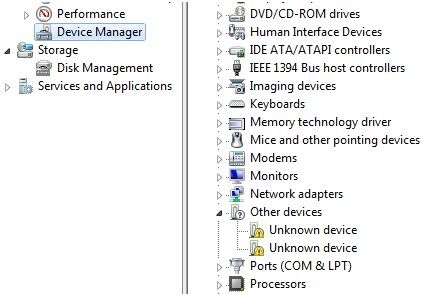
Device Manager with Unknown Devices
Right Click on an Unknown Device and select Properties. In the Details tab select Hardware Ids from a drop down list. You will see a list of hardware identification codes. Right Click on longest of them and click Copy.
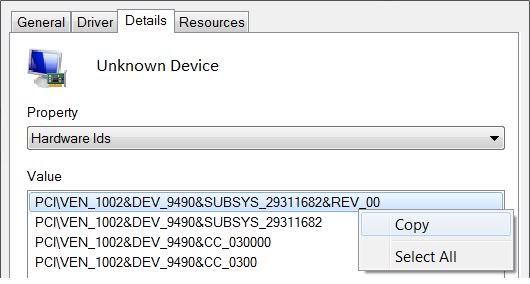
Hardware Ids
When you have copied the Id, go to devid.info, paste it in the search box ant hit search. It will give you the name of the device and various options to download, depending on your OS, architecture and drivers date (It's best to install newest drivers).

Search results
Simple as that, you found your missing drivers in just about 2 minutes, and are ready to install them! Of course it is possible that you won't find drivers for very specific or outdated device, but if you will find it somewhere else, be sure to share it with the rest of the world - devid has an upload option. This site saves time and makes driver search so much less pain, hope you like it!

No comments:
Post a Comment